Sometimes you CAN expect the unexpected!
September 21, 2022 | Posted in True Customer Stories
On a hot day in August, crew members from Eastern Highway Specialists were working on a project near an overpass, with their work trucks parked on the road just above. Upon completing their job, they headed back to the trucks…only to find one dump truck had been stolen!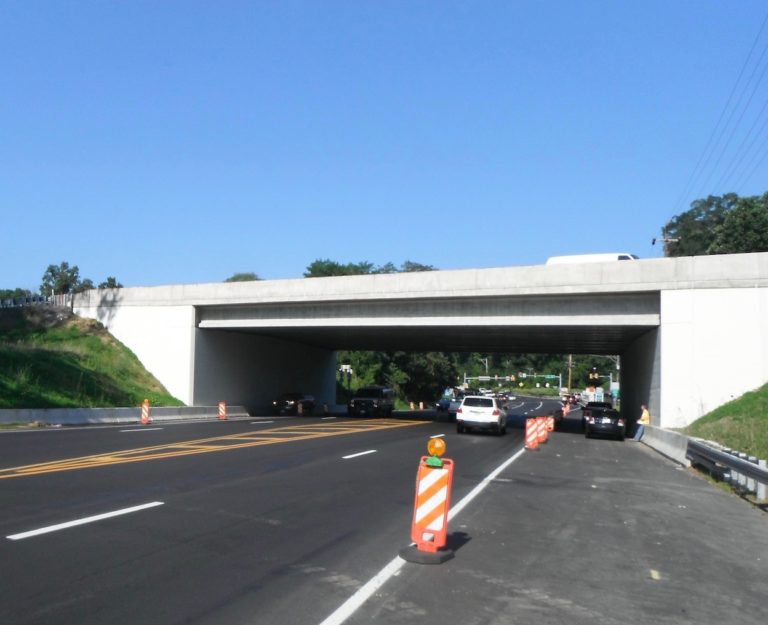
Luckily, they had SolarTrak trackers installed! With some quick thinking on their end, they logged into SolarTrak and were able to track down and recover the vehicle.
To top it off, this isn’t the first time Eastern Highway Specialists has used the tracker to located a stolen vehicle!
 Per Chris Magdefrau, Vice President at Eastern Highway Specialists, “EHS is 2 for 2 recovering trucks taken on these joy rides using your system, definitely worth every penny we spend!”
At SolarTrak, we don’t (necessarily) claim a benefit of our trackers is theft prevention, as there are so many other features that benefit our customers each and every day…. but having our tracker did help EHS in locating and reclaiming their vehicles!
Looking for an affordable solution to track your equipment? Call us at 484-223-4994 to set up a FREE demo!
Here’s Why “Geofence” will be your New Favorite Word
June 20, 2022 | Posted in Geofences
SolarTrak does more than just letting you know exactly where your rental unit is. You can also:
- Locate your Equipment using GPS
- Get alerts when your Equipment Moves
- Control If and How your are Alerted
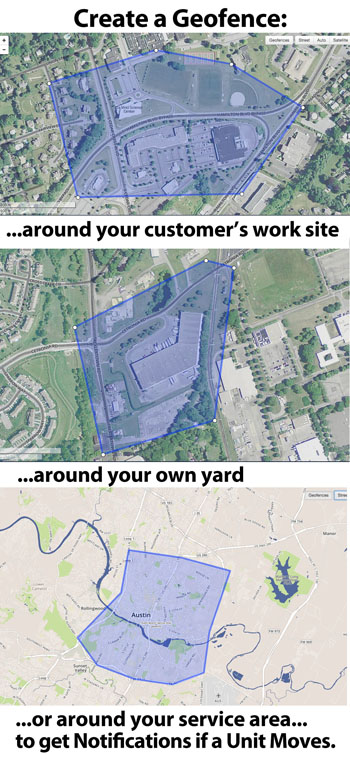 Is it off-road in the middle of a construction site? No problem. SolarTrak’s GPS tracker locates by both street address or GPS co-ordinates.
Has it been moved to a new location? Or never left your yard? You’ll know. Get email or text notifications if and when equipment is moved.
Has it moved within the construction zone? Set up a Geofence around the work site and choose whether to be alerted if it moves beyond those boundaries.
By using a SolarTrak tracker, you’ll help prevent losing track of vital rental assets. Make quicker decisions: know in real time where it is and what its doing. Know in an instant if the unit is in the yard, in the shop, or already rented. Send your repair crew to the right machine with the right tools – you can also see battery voltage and if and when the engine is operating. And, with our Engine-Hours Report, your Billing Department will know exactly when it was operating.
With SolarTrak fleet management, you gain control…for less than $10 per month per unit!
Start by calling SolarTrak at 484-223-4994 and asking for a demo.
New Features!! Icons, custom state assignments, AEMP notes, and more!
April 11, 2022 | Posted in Product Updates
New Asset Types & Icons
We’ve added new asset types to SolarTrak, as requested by our customers.



And the undisputed highlight of our weekly team calls:
Custom States
SolarTrak now supports assigning Custom States to assets. Custom States are flags like: On Site, Off Site, Needs Overhaul – or whatever you’d need to keep track of an asset. Custom states show up in the maintenance field, and you can filter the asset list by them.
To define a custom state, visit the Organization Settings page (click your name in the right hand corner to reveal the drop-down menu), and remember to his ‘Save’ after adding a few. To apply them to an asset, edit the asset and choose the custom state you want.
Custom States was added as a feature when we saw customers using Branches to represent custom states. When we designed Branches, we assumed that an Asset would remain part of one Branch, and so portions of our interface were designed around that – hopefully, custom states will let you limit the number of Branches a user needs to manage.
Third Wire Voltage
Over the past few months, we’ve enhanced our Third-Wire trackers to support measuring things other than engine start-stop. It is now possible to measure the voltage of the third wire, use it to represent on-off states, and even (with a fuel level sensor) to measure the fuel in an asset.
We’ve been testing this with adventurous partners, and to keep the Model interface simple, we turn this functionality off by default. If you find that you will benefit from the third wire voltage, contact us and we’ll turn it on.
Augmented AEMP Notes
Many of our customers like to add notes to their assets. (You can do this by hitting Edit on the asset page.) Now, these notes are made available via Augmented AEMP, so you can access them in other programs. Once logged in, click your name in the right hand corner to reveal the drop-down menu, and Augmented AEMP can be found under Public API.
Thank you!
As of this post, we are storing over 1.7 billion asset locations in our databases! Thank you for trusting us to support your business.