New Features in SolarTrak!
April 7, 2026 | Posted in Fascinating Facts, Product Updates
We love to receive feedback from our customers – be it from a conversation during an in-person visit, while having a chat on the phone, emails, as well as feedback at trade shows!
We’re happy to say we’ve implemented the following customers suggestions:
**Push Notifications**
SolarTrak now supports web push notifications! With this feature, you will receive alerts on your phone or desktop even when you’re not monitoring the site. You’ll never miss equipment leaving/entering a geofence, power interruptions, comms loss, etc.
You can enable these from the Notifications page and set push as a delivery option for rules.
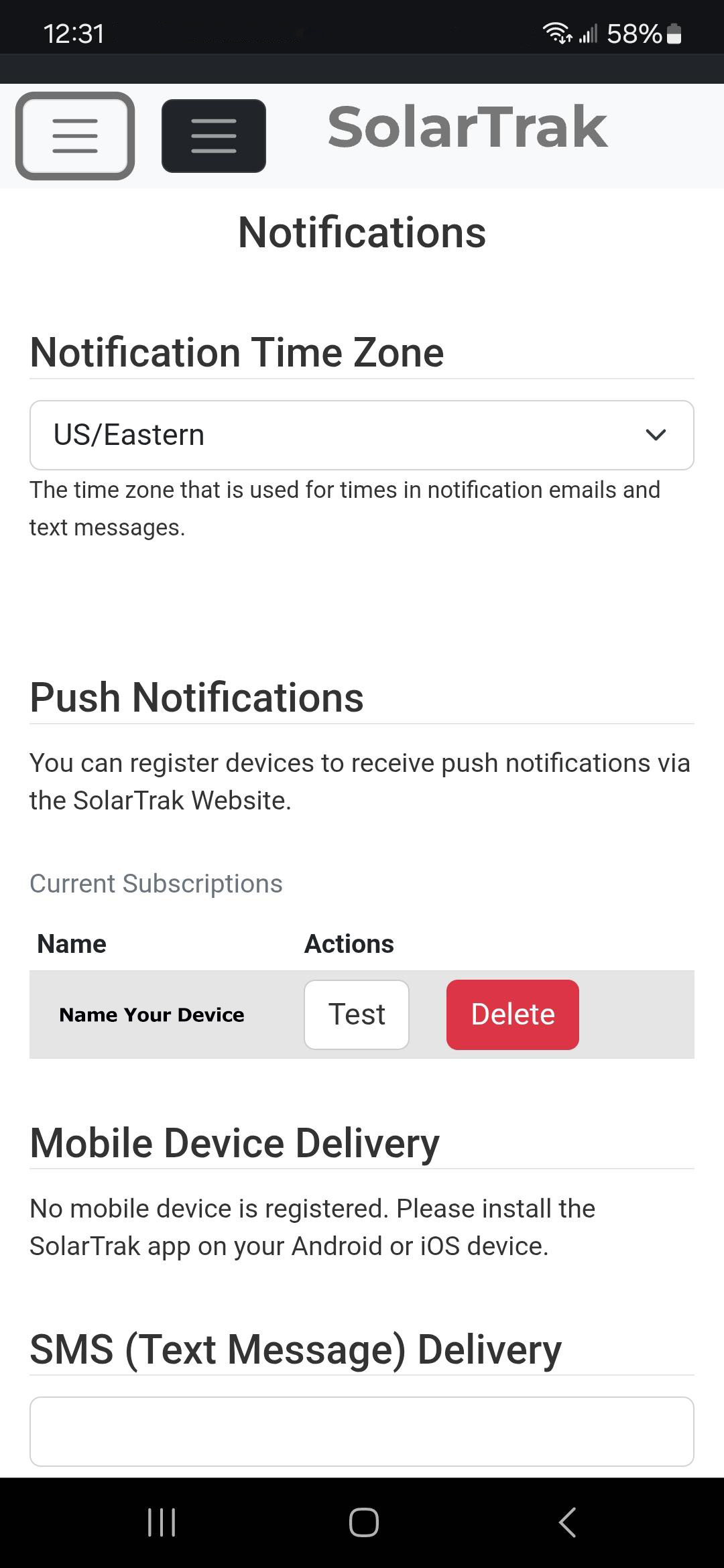 Smartphone View |
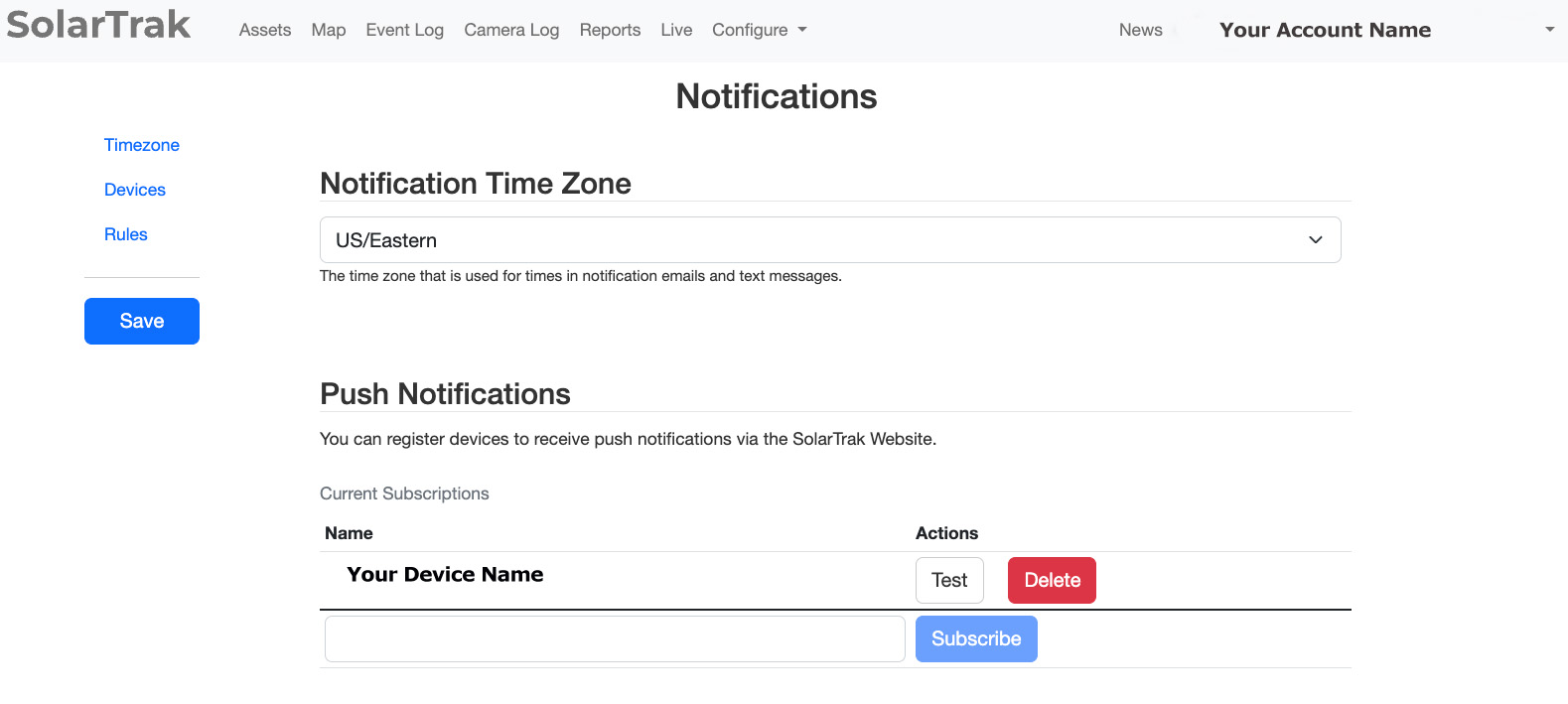 PC View |
** Sorting Improvements**
Find equipment faster – especially when you have multiple locations and/or lots of equipment!
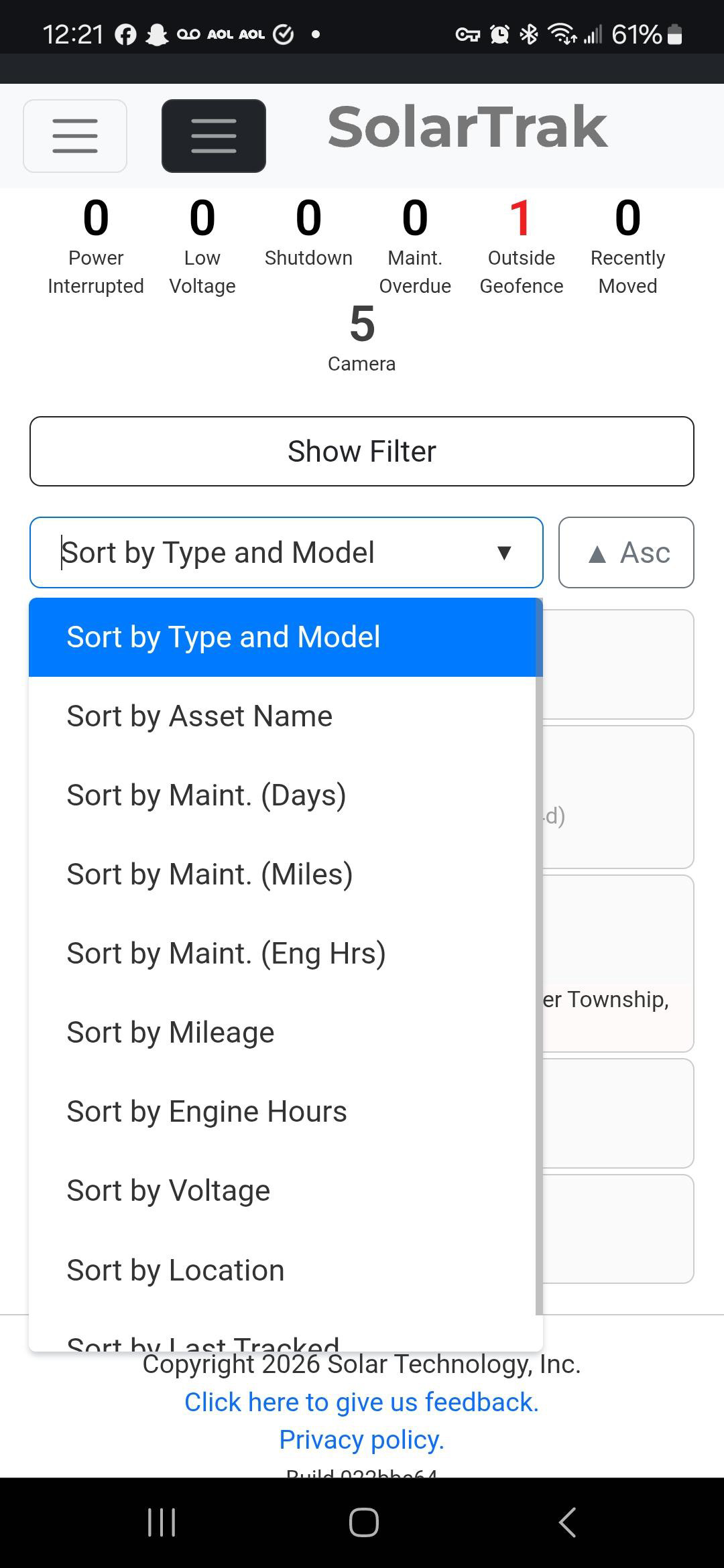 Smartphone View |
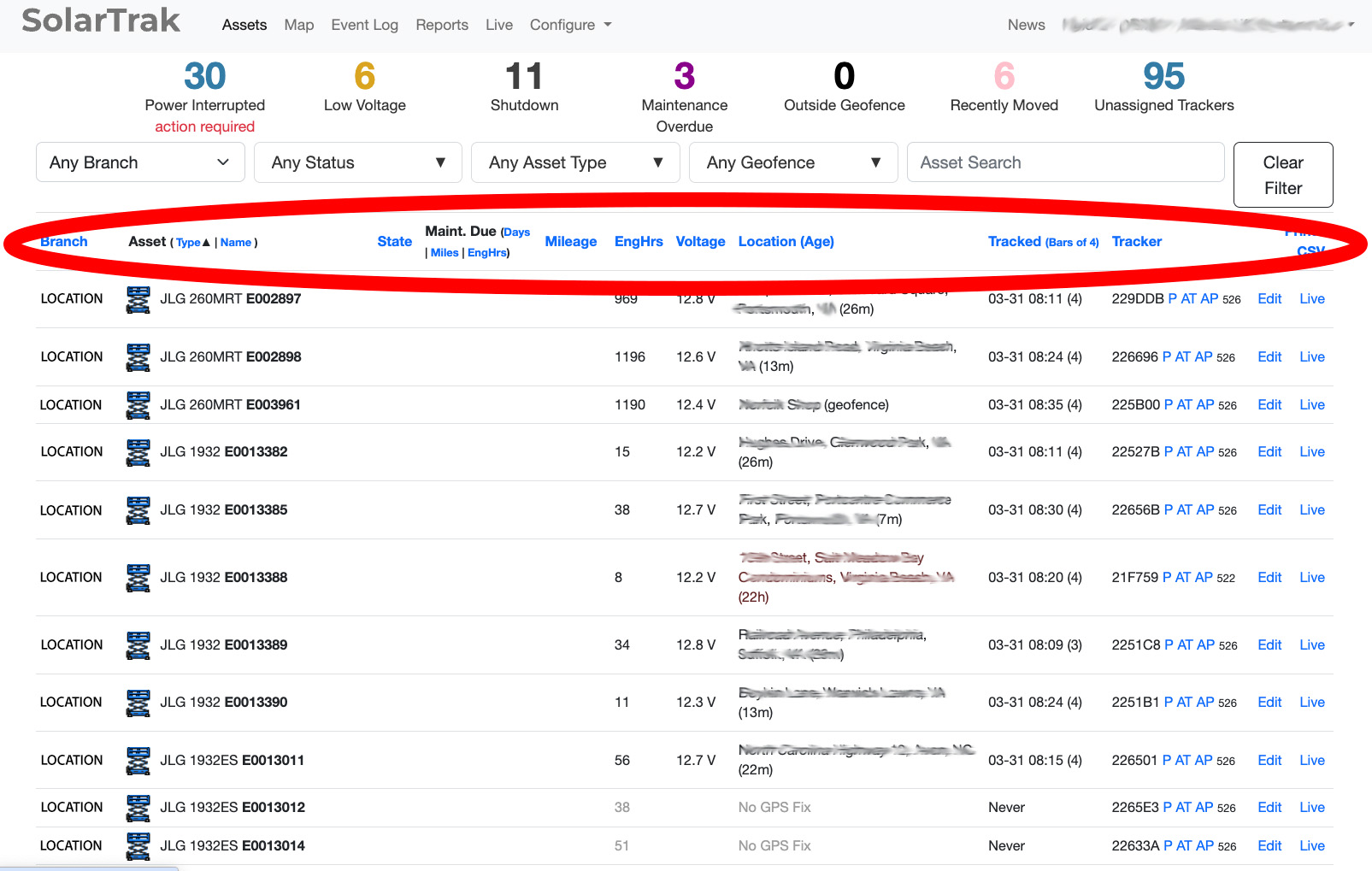 PC View |
**Geofences**
There’s a new “All Geofences” option in the filter that shows every geofence on the map at once (without affecting which assets are filtered).
SolarTrak will now also show geofences instead of the street location, if the geofence is small enough that it’s more informative than the place name. How small? 500 feet – but you can change that on the Organization Settings page. A quick and easy way to see what equipment is located outside of your geofences!
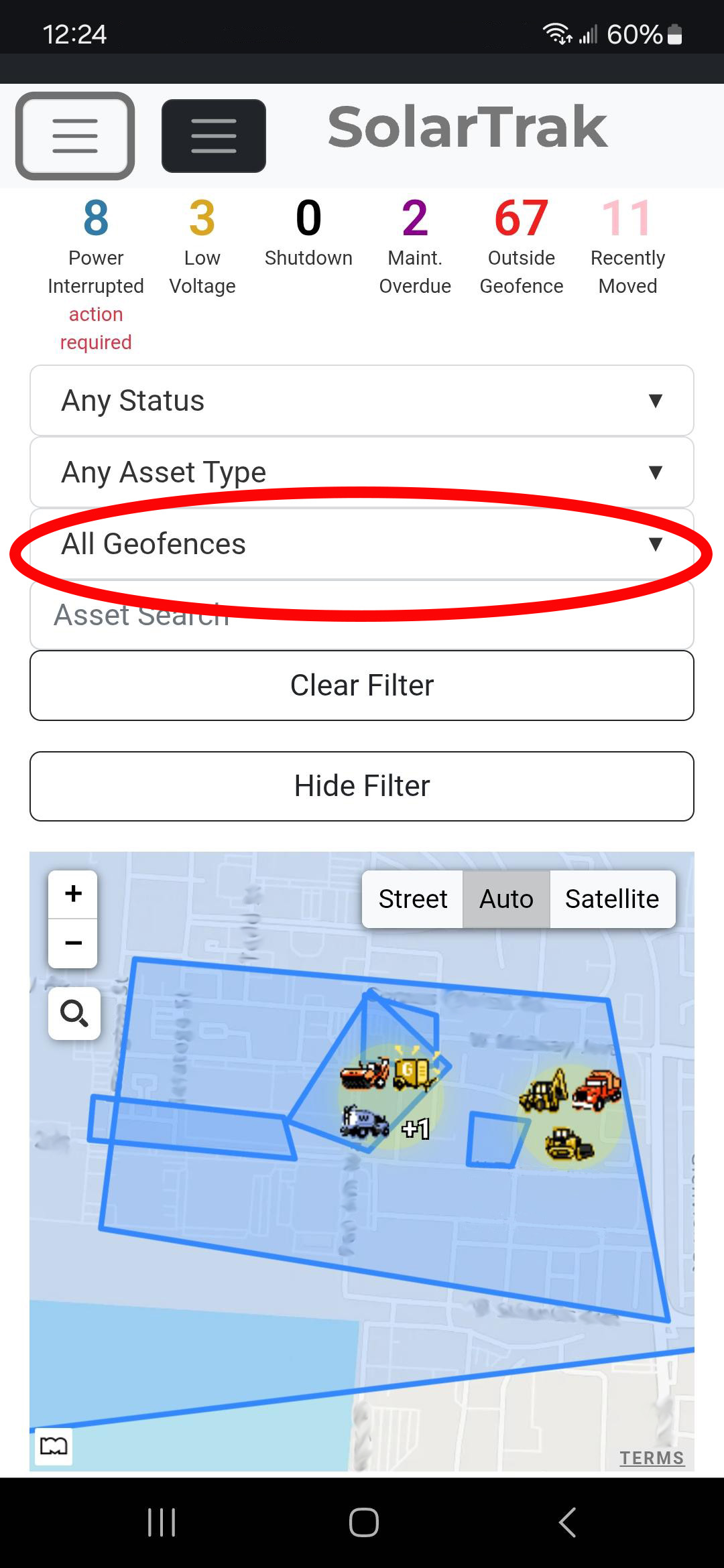 Smartphone View |
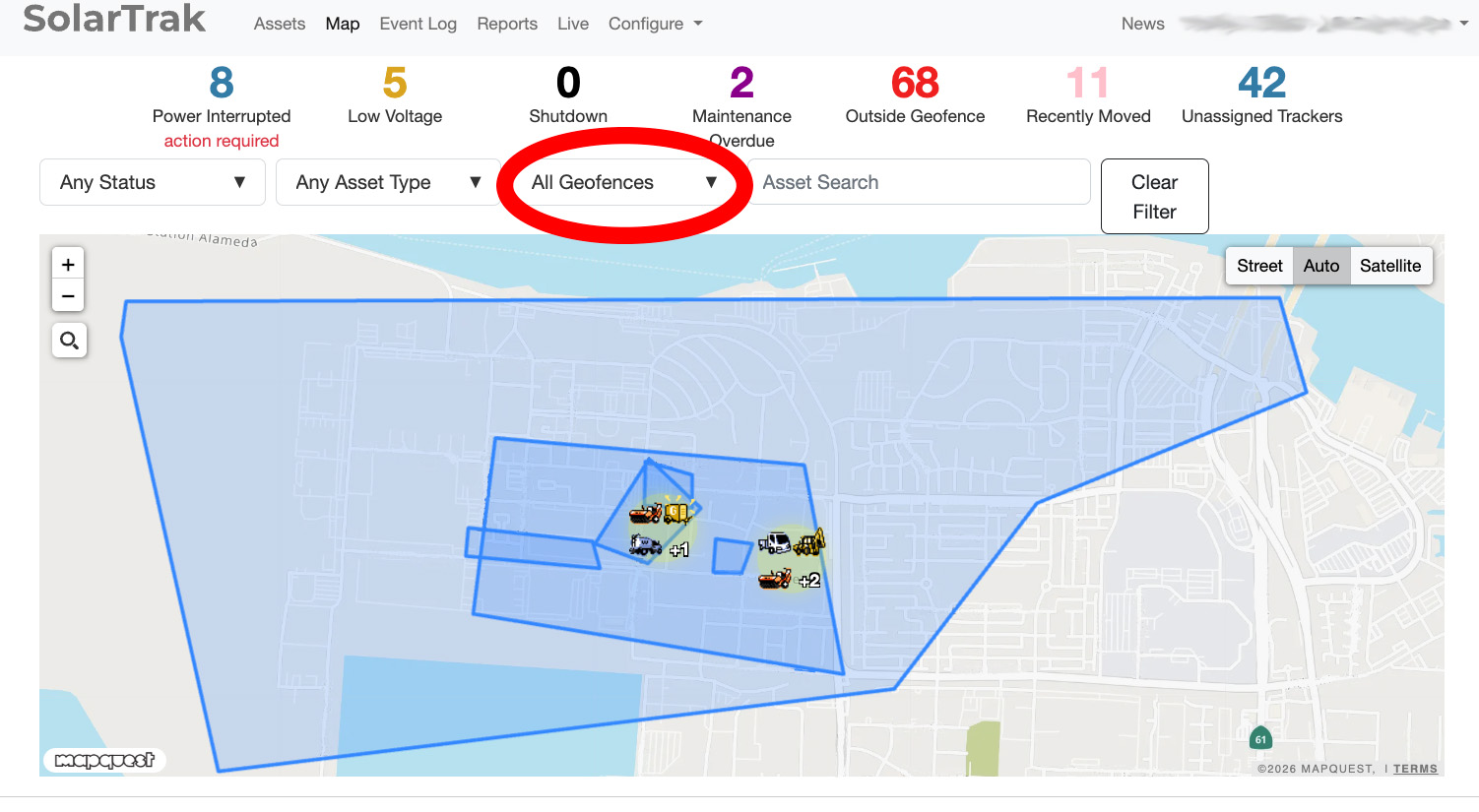 PC View |
**Camera Status Filter**
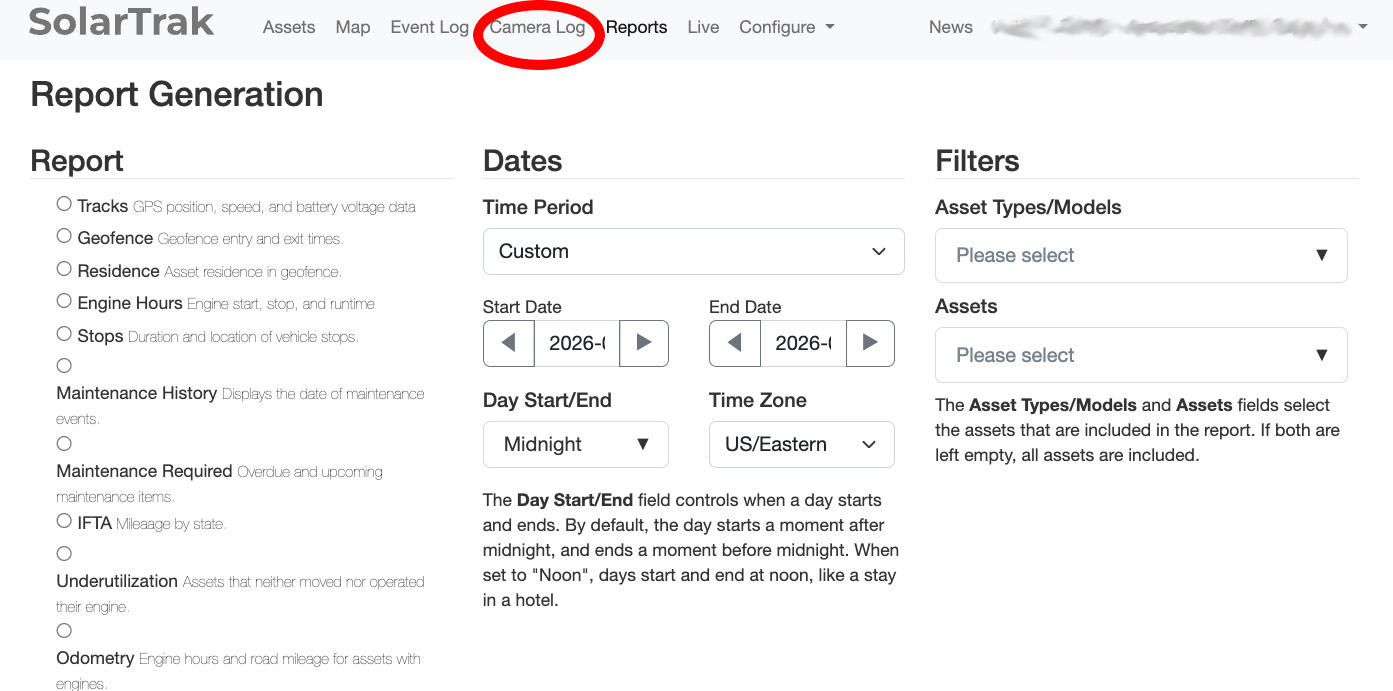
“Camera Log” is now a clickable status in the overview bar, so you can quickly filter to just assets with cameras.
Sort out equipment with cameras with one click!
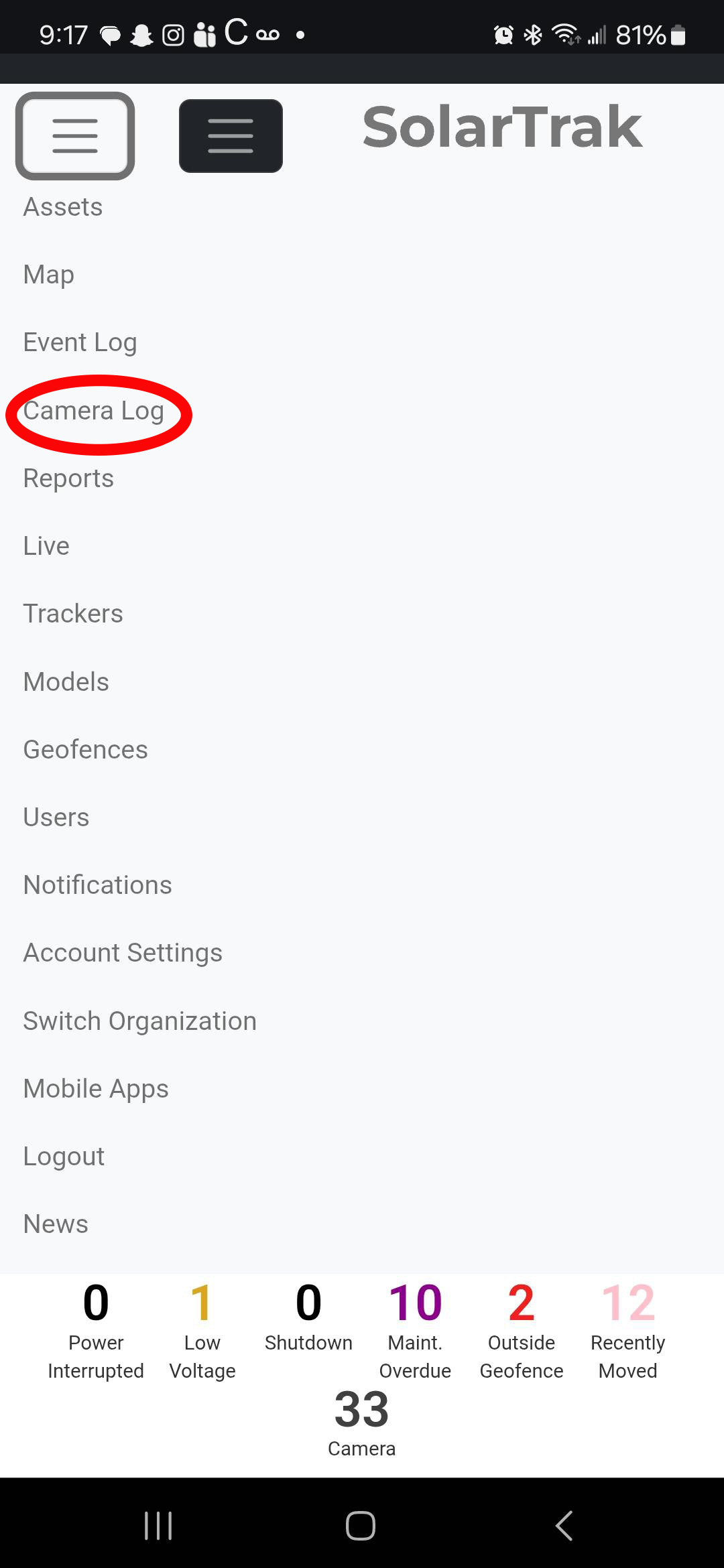 Smartphone View |
 PC View |
We’d like to thank everyone who provides us feedback and suggestions – we read every message and it helps us make SolarTrak better!
Have a suggestion? Let us know–> Feedback Form
Chris Kennedy – Leading the Future of Fleet Management with SolarTrak
February 26, 2026 | Posted in About SolarTrak
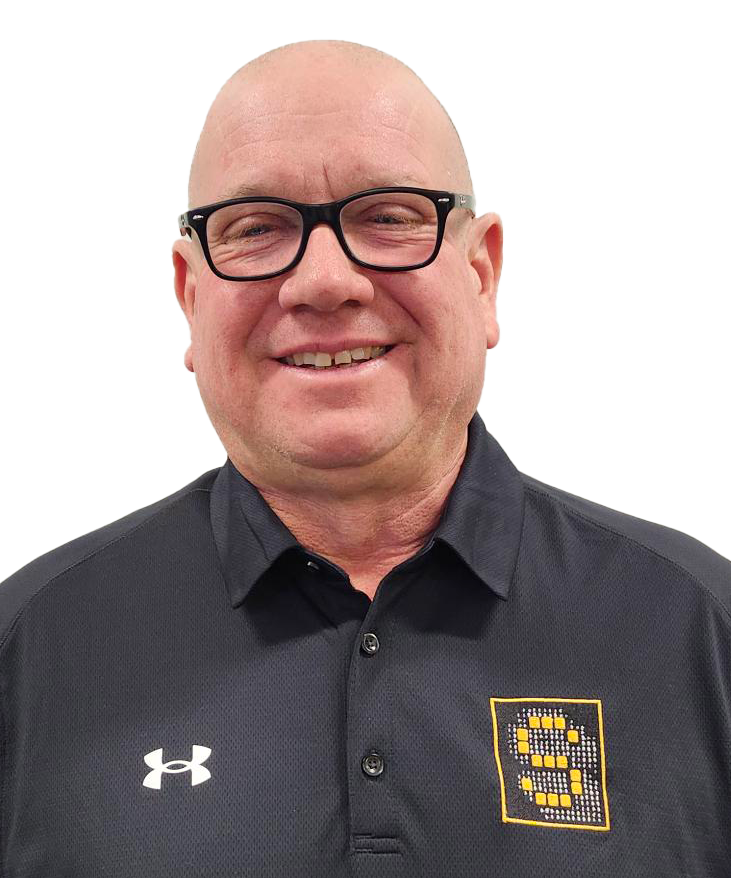 Chris Kennedy was recently promoted to National Sales Manager for SolarTrak in recognition of his leadership, industry expertise, and commitment to customer success.
Since joining the SolarTech/SolarTrak team in 2021, Chris has helped drive the growth and impact of our expanding portfolio of products and solutions. In his new role as National Sales Manager, he now leads SolarTrak’s growth strategy across the United States and Canada, supporting customers in a wide range of markets – from construction equipment and material handling to low-speed vehicles, passenger vehicles, and truck fleets.
Under Chris’s leadership, SolarTrak continues to strengthen its position as a trusted partner for organizations seeking simple, reliable ways to track and manage their assets.
Innovating for What’s Ahead
Looking ahead, several exciting initiatives are underway to elevate the SolarTrak experience even further, including:
- New product enhancements designed to deliver even more actionable fleet insights
- Expanded service capabilities to provide faster, more focused customer support
- Improvements to the overall customer experience, making SolarTrak even more intuitive for fleets of all sizes
Throughout this evolution, one thing remains constant: SolarTrak’s commitment to delivering reliable, flexible asset-tracking solutions backed by responsive service and long-term partnership.
Let’s Connect
Chris welcomes the opportunity to learn more about your fleet, your operational priorities, and how SolarTrak can support your goals. Whether you manage a handful of vehicles or a nationwide fleet, the SolarTrak team is ready to help you maximize uptime, efficiency, and visibility.
Ready to elevate your fleet management strategy?
Let’s start the conversation.
A new look for the SolarTrak Web Application
December 12, 2025 | Posted in Product Updates
We’ve given the SolarTrak Web Application a new look and made it easier to use
Here’s what you can expect to see when you log in:
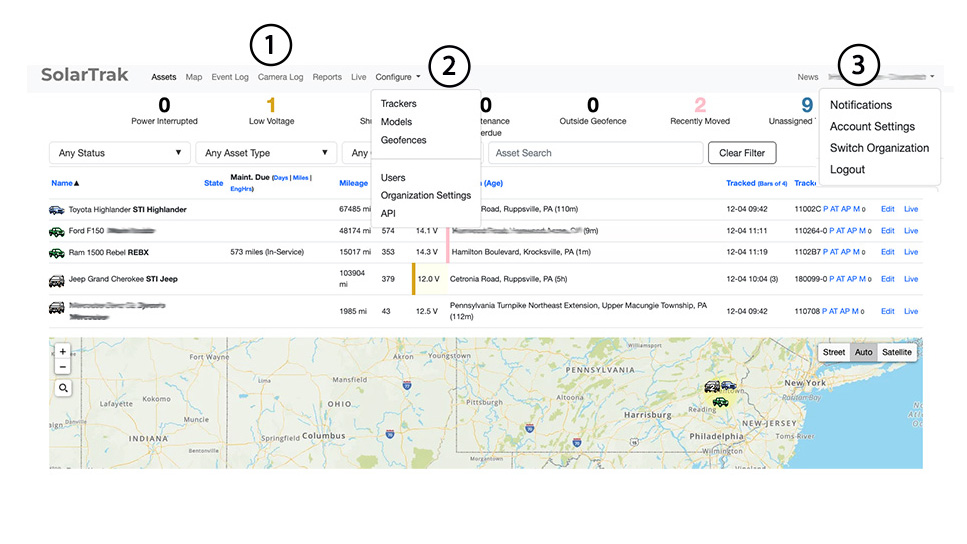
(1) A sleeker look to the navigation bar.
(2) The Configuration dropdown provides access to all the settings to assign/unassign trackers, assign models, set up geofences, as well as assign users to the account.
(3) The user dropdown allows the setup of notifications and password updates. There is a NEWS section where all the latest releases, product updates, and other notable information can be found.