SolarTrak Welcomes Andrew Chellel, new SE Territory Manager
June 5, 2017 | Posted in About SolarTrak
SolarTrak announced their expansion into southeastern US with the addition of  Andrew Chellel as SE Regional Sales Manager.
Chellel was hired to expand SolarTrak’s double-digit growth in states from South Carolina through Florida, and follows a recent upgrade to the software and addition of new features such as the Maintenance Required Report and release of the Check Install app.
A seasoned sales and marketing executive, Chellel has prior experience as regional sales manager for multiple national beverage companies, and is familiar with fleet management from working with delivery fleets.
“My strengths lie in building customer relationships and understanding the importance of customer service” Andrew stated. “That, plus sales experience since 1997, makes me confident that I can bring the SolarTrak product to this market successfully.”
Ed O’Donnell, V.P., Sales for SolarTrak, says of Chellel: “I’ve known Andrew from the beer business for many years. He is a true sales professional. He has excelled in achieving his sales goals both personally or by managing sales teams. He is a strong addition to our team.”
Is your company in the southeast? Give Andrew a call at 484-714-6134. He’ll be happy to visit, or set up a free SolarTrak demo
Apples, not Oranges: Do You Need a Vehicle Tracker or a Construction Tracker?
May 19, 2017 | Posted in Fleet Tracking
When comparing GPS tracking products, make sure to compare apples to apples, not apples to oranges.
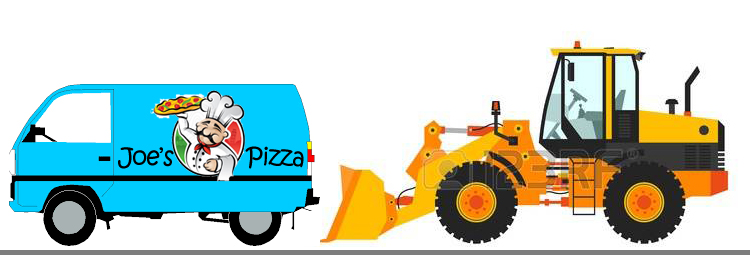 If you Google “GPS Trackers”, its likely that you’ll run into Vehicle Trackers – designed for cars or for fleet delivery trucks. You’ll know, because their emphasis will be on in-transit data and driver’s behavior: idles times, speed, stops … did the driver stop for donuts and obey speed limits?
If you are a construction contractor or rental house specializing in workzone equipment, you’ll want a GPS tracker designed specifically for construction equipment – SolarTrak. SolarTrak understands how construction and rental fleets are organized and run, and our data reflects that. SolarTrak will tell you:
GPS or Street location – even if the equipment is parked in a workzone in the middle of a field
Engine-Hours – SolarTrak records engine run times for an accurate record for billing.
Battery Voltage Status – anticipate problems before they occur by tracking the battery voltage
Maintenance Reminders – Keep your fleet healthy by never missing routine maintenance or inspections
Geofence – Establish boundaries around a worksite or your yard; get alerted to movements in and out
Don’t pay for more data than you need. Most vehicle trackers cost in the $20 to $40 range per month. SolarTrak is under $10 per month per tracker, and offers no contract rent or buy options.
See for yourself by calling to arrange an online demo: 484-223-4994. And get the right GPS tracker for your construction equipment – SolarTrak.
Four Ways that SolarTrak can Make your Repair Crew Happy
May 2, 2017 | Posted in Asset Management
When we designed SolarTrak, we talked to Fleet Managers, rental store owners, customers and crews – and included features that would make everyone’s job just a bit easier. For repair crews, we’ve included some items suggested made by the guys themselves.
Here’s how SolarTrak will benefit your Maintenance Department staff:
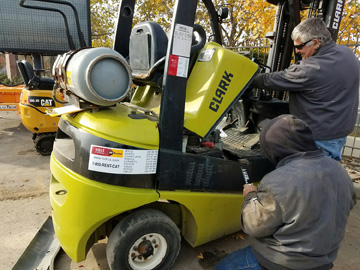 NOTIFICATIONS – We’re included some important pre-set notifications that you can choose – and customize – when deciding who gets alerts and when: Routine Maintenance Due and Low Battery alerts. Your crew chief can be alerted directly if a battery is below 12 volts.
MAINTENANCE ALERTS – You can opt for whatever makes sense to your operation – oil changes, filters, preventative maintenance checks, ANSI checks, continuous-run alerts – in addition to the pre-set alerts
GOOGLE/BING DIRECTIONS – Now if your equipment is parked in the middle of a field, you can use the GPS co-ordinates or the Google/Bing link to get directions right to the equipment – fast, efficient access.
MAINTENANCE REQUIRED and MAINTENANCE HISTORY REPORTS – Log both repair history and see a report of what maintenance is due in the next week or month, so your crew knows exactly how to schedule their work week. There’s even a NOTES field to include comments about what tools and parts will be needed, and to record special instructions.
Of course, SolarTrak benefits your entire organization by giving you engine-hours reports for billing, by helping you locate equipment quickly, and by alerting you when equipment moves… but the increased info for the maintenance department can help you extend the life of your fleet. And a longer life means more money in your pocket.
Getting an additional year of rentals by preventing breakdowns will pay off! See for yourself why SolarTrak GPS trackers are repair crew favorites: Request a free demo here or by calling 484-223-4994.